# How to convert MOV video to MP4?
**URL:** https://community.imagekit.io/t/how-to-convert-mov-video-to-mp4/51
**Category:** Video API
**Created:** [February 25, 2025, 8:11am UTC](https://community.imagekit.io/t/how-to-convert-mov-video-to-mp4/51 "2025-02-25T08:11:10Z")
**Posts on this page:** 2
**Page:** 1
### Author:  [@deepanshu\_rustagi](https://community.imagekit.io/u/deepanshu_rustagi)
#### Post date: [February 25, 2025, 8:11am UTC](https://community.imagekit.io/t/how-to-convert-mov-video-to-mp4/51/1 "2025-02-25T08:11:10Z")
I have some screen recordings that are uploaded by my customers in MOV format. These are not playing in a lot of browsers. How to convert these MOV videos to MP4 for better compatibility across browsers?
---
### Author:  [@imagekit\_kashish](https://community.imagekit.io/u/imagekit_kashish)
#### Post date: [April 8, 2025, 7:58am UTC](https://community.imagekit.io/t/how-to-convert-mov-video-to-mp4/51/4 "2025-04-08T07:58:02Z")
ImageKit allows you to convert videos from formats like MOV to more widely supported formats such as MP4 or WebM, ensuring smooth playback across all major browsers and devices. Whether your video files are stored in the [ImageKit Media Library](https://imagekit.io/docs/dam/overview) or a connected [external storage](https://imagekit.io/docs/integration/connect-external-storage), you can deliver them in the optimal format using ImageKit.
ImageKit provides two primary methods to optimize video format delivery:
## Automatic Video Format Conversion
ImageKit [automatically](https://imagekit.io/docs/video-optimization) selects the best video format for each user by analyzing factors such as device capabilities, browser support, and your preferences.
### Enabling Automatic Format Conversion
To enable this feature, activate the **“Use best format for video delivery”** setting in your ImageKit dashboard under the [video settings](https://imagekit.io/dashboard/settings/videos).
[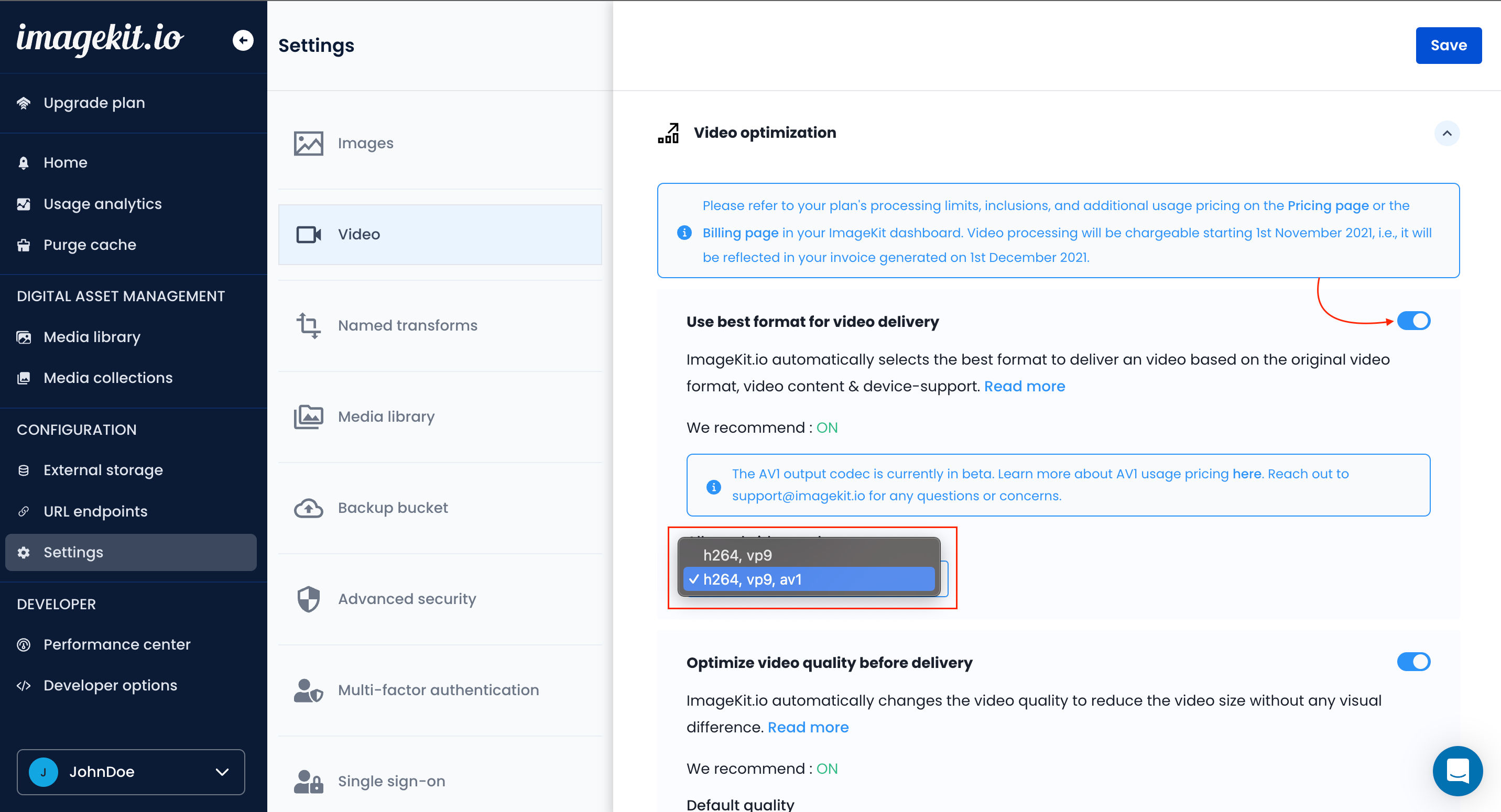 ](https://ikmedia.imagekit.io/docs_images/features/video-optimization/automatic-video-format-conversion/video-settings_FZhrYg9gT.png?updatedAt=1716986937277)
Alternatively, you can use the URL-based transformation parameter `f-auto` to optimize individual videos dynamically. This works similarly to the global setting but allows you to apply the transformation per video rather than system-wide.
**Example URL:**
```auto
https://ik.imagekit.io/ikmedia/docs_images/Community/file_example_MOV_480_700kB.mov?tr=f-auto
```
When enabled, ImageKit automatically serves the video in either MP4 or WebM format based on which one is best supported by the viewer’s browser.
[Learn how to optimize videos for web delivery using ImageKit](https://imagekit.io/docs/video-optimization)
* * *
### Forcing an Output Format
If you prefer to specify the output video format manually, ImageKit allows you to do so using URL-based transformation parameters.
### How to Force a Specific Format
By appending the [format](https://imagekit.io/docs/video-optimization#format---f) `f` parameter to your video’s URL, you can convert a video to a preferred format. This ensures consistent delivery in the desired format, regardless of the user’s browser or device.
**Example** :
**Original MOV Video:**
```auto
https://ik.imagekit.io/ikmedia/docs_images/Community/file_example_MOV_480_700kB.mov
```
**MP4 Output:**
```auto
https://ik.imagekit.io/ikmedia/docs_images/Community/file_example_MOV_480_700kB.mov?tr=f-mp4
```
**WebM Output:**
```auto
https://ik.imagekit.io/ikmedia/docs_images/Community/file_example_MOV_480_700kB.mov?tr=f-webm
```
Learn how to transform videos using the [ImageKit.io URL-based transformation parameters](https://docs.imagekit.io/video-transformation)